7 Useful Git Tips for Beginners - Six Revisions |
| 7 Useful Git Tips for Beginners Posted: 04 Sep 2013 03:00 AM PDT Back when I first started to use Git for version control, I wasn’t sure if all the learning I invested into it would pay off. Branching, staging, stashing — these Git terms were all foreign to me. Today, I can’t imagine life without Git. Git not only gave me a much-needed ability to version-control my work, it also made me a better programmer. Here’s a series of simple tips that will help you make Git an important part of your web development workflow.
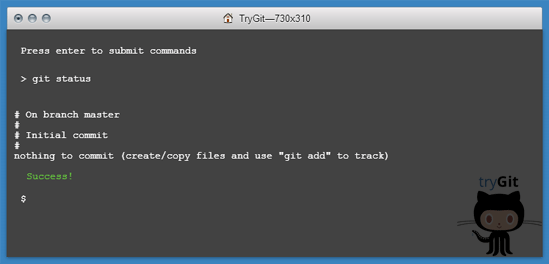
Tip 1: Spend Some Time Learning Git BasicsLearning the basics doesn’t mean you have to read the entire Git documentation from start to finish (although if that’s your thing, I wouldn’t discourage you from doing it). There’s so much educational content on Git that I’m sure there’s something out there that fits your personal preferences and optimal learning style.
Here are a few Git learning resources to check out:
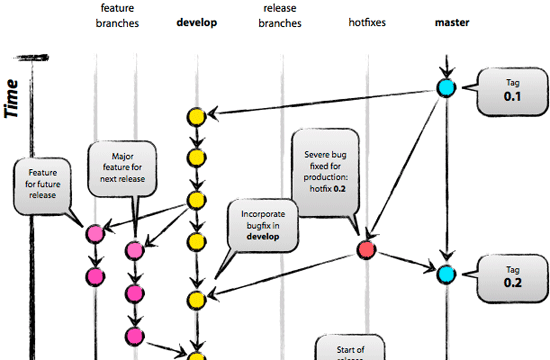
Tip 2: Start with a Simple Git WorkflowLess is more. Often, Git is associated with complex workflows. Let me say this though: You don’t have to completely master Git in order to instantly reap its benefits. Git workflows can be extremely simple — and in a lot of cases "simple" is exactly all you need. Sure, you can use multiple remote repositories, issue pull requests, rebase your changes, etc. but you don’t have to if you don’t want to. Starting with a simple workflow also makes it easier to add more complexity later on when you need Git’s more advanced features. The advanced features will be there for you when you need them. Here are some examples of various Git workflows that you can take ideas and inspiration from:
The overarching point is this: Don’t stress out about needing to learn everything about Git. You can start using Git today. Tip 3: Stop Being Afraid of Making MistakesA great thing about Git is that it’s almost 100% foolproof. Keeping the following things in mind should let you sleep easy at night:
Tip 4: Understand the Concept of BranchingThe concept of branching in Git is one of the most useful things you can learn at the start. Branching allows you to keep separate developments of one project possible and is a key component of being an effective Git user. It may not sound like a big deal at first, but once you fully understand the concept of branching, you’ll wonder how you could have possibly lived without this ability. Although other version control systems use the branching concept too, Git is the first system that really makes it easy and useful.
Here are some resources to read that will help you understand the Git branching concept:
Tip 5: Learn About the Staging AreaVersion control is most useful when you wrap up only related changes in a commit. This guarantees the commit can be rolled back easily without side-effects. The habit of making frequent commits also helps your coworkers more easily understand the progression of your changes. Git makes granular commits easier than any other version control system (VCS) because you can determine which changes exactly shall be in the next commit. A Git feature called staging area makes this possible. Learn to use and love the staging area because it’s one of the most essential and unique components of Git. Here are some resources about Git’s staging area:
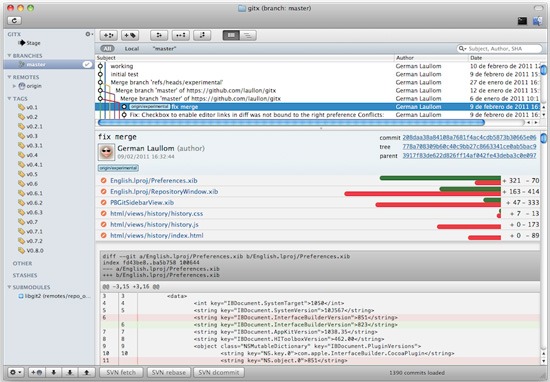
Tip 6: Use a Git GUIAlthough using a GUI is definitely not a requirement, I highly recommend it. Using a GUI makes a lot of tasks easier and gives you a head start. After all, using Git is not about learning commands and parameters by heart, it’s about using Git to improve your coding workflow. If a GUI enhances your coding workflow, there’s no reason to make things harder on yourself.
Here are some Git GUIs to check out:
Using a GUI will not relieve you from having to learn the basics, but once you’re happy with the level of Git mastery you have, investigate the tools that will make your life easier. Tip 7: Commit Yourself to Using GitUsing a new tool can cause a bit of a headache in the first few days. The only way to get through this learning curve is to keep going. Don’t look back; make a full commitment. Introducing Git into your normal coding workflow will soon prove to be one of the biggest and most significant things you’ve done in a while. Avoid making exceptions like "I’ll use Git for these projects, but not for these other projects." At least at first. The mindset of fully committing to Git gives you more opportunities to practice, makes things simpler because you know that the current project you’re working on is using a version control system, and most importantly makes Git a part of your coding habits. In the future, you’ll see that there are just some situations where you don’t need to use Git. You won’t know what those situations are until you use Git in all the situations you can. At the start of your journey towards Git mastery, make a 100% commitment to it. Related Content
About the Author
The post 7 Useful Git Tips for Beginners appeared first on Six Revisions. |
 Tobias Günther is CEO and founder of fournova. In 2010, he set out to make Git easier to use: Together with his team, he develops the Git desktop client,
 | You are subscribed to email updates from Six Revisions To stop receiving these emails, you may unsubscribe now. | Email delivery powered by Google |
| Google Inc., 20 West Kinzie, Chicago IL USA 60610 | |

No comments:
Post a Comment